
Stop re-typing spreadsheets into web forms
RowPilot fills a web form from your spreadsheet, one row at a time. It's built for the portals and back-office systems that have no import button. You check each form and submit it yourself.
Add to Chrome: 7-day Pro trial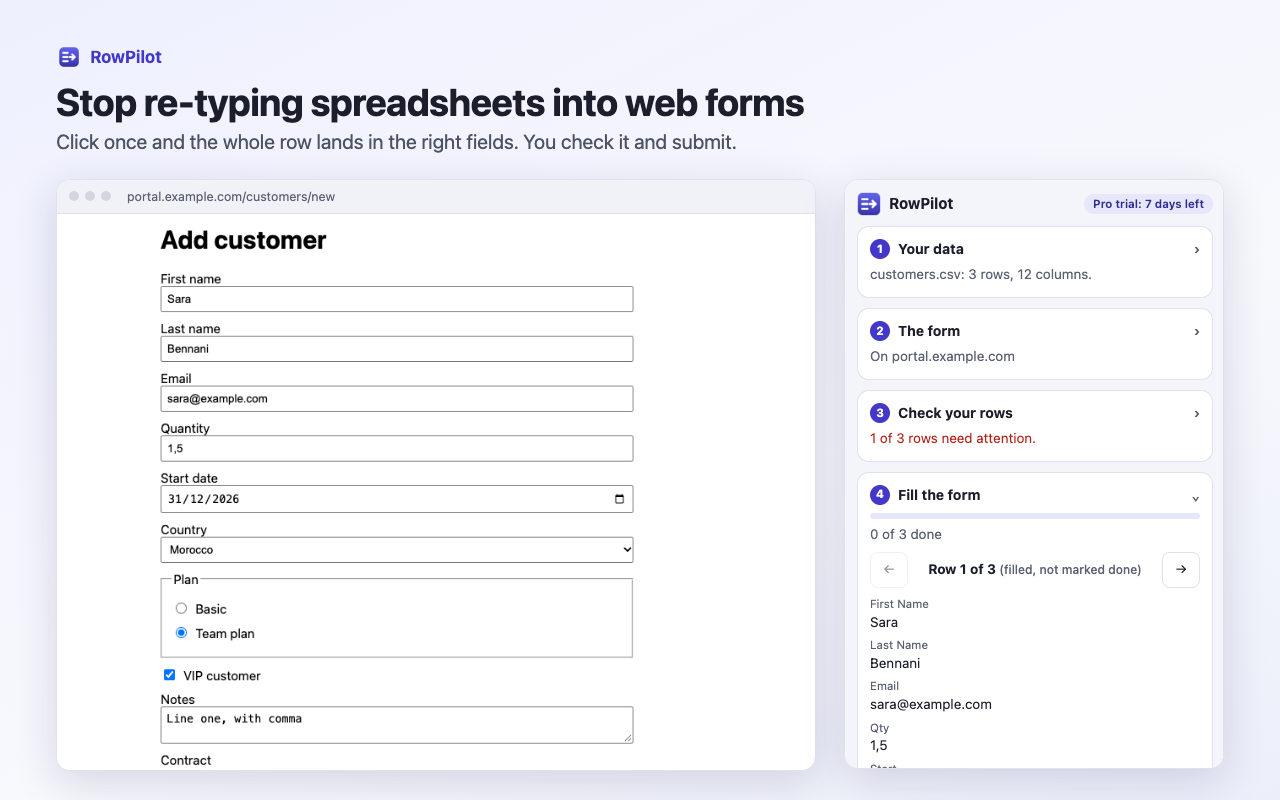
How it works
- Load your rows. Choose a CSV or Excel file, or paste rows from any spreadsheet.
- Open the form. Click the RowPilot icon. It reads the form and suggests a column for each field.
- Check your data. It lists empty required fields, bad emails, numbers over the limit and values the form doesn't offer.
- Fill and review. Click Fill, look over the page, submit it, and move to the next row.
Plans
Free
$0
- Up to 25 rows per file
- CSV and pasted rows
- Column matching and row checks
- Progress that stays
Pro
$12 a month, with a 7-day trial
- Unlimited rows
- Excel files
- Attach each row's file from a folder
- Saved setups for each page
- Downloadable progress log
What it can fill
Standard text boxes, email, number and date fields, dropdowns, radio buttons, checkboxes, long text, rich text boxes, file uploads and fields inside web components, including multi-step forms on one site.
Current limits: forms inside frames, and custom controls that aren't real form fields, may not fill. It skips password and card number fields, doesn't solve CAPTCHAs and never submits a form. Check that the site you're using allows this kind of help.
Your data stays on your computer
Your spreadsheet and files are read in your browser and go only into the page you ask RowPilot to fill. Row values are forgotten when Chrome closes. The extension only reaches a page after you click its icon there, and has no analytics. Read the privacy policy.
Get RowPilot
Install RowPilot from the Chrome Web Store. The free plan covers up to 25 rows per file, and every install starts with a 7-day Pro trial.
Guides
- How to fill a web form from an Excel or CSV file
- How to fill a web form from Google Sheets
- How to attach a different file to each web form entry
- How to enter data into a portal with no import button
- How to check a spreadsheet before entering it into a form
- How to keep dates, numbers and leading zeros correct in data entry